
Control of cameras by HTTP commands depending on digital input states
Note: METEL devices = all LAN-RING F and G series switches that support event management.
Typical applications
METEL devices are connected via digital inputs:
- PIR sensors
- door contacts
- twilight switches
- thermometers
- humidity meters
- IP cameras supporting HTTP or ONVIF control. Most of these cameras have been successfully tested by Axis, Hikvision, Panasonic, Riva, Samsung, Sony, Vivotek...
If the PIR sensor detects an Alarm, Tamper, Antimasking or any other condition we want to respond to, event management sends command(s) to the camera(s): set position, display text, run Pattern.
In case of IP camera theft, Event Management can automatically rotate other cameras, turn on lighting, control power, ... The security system can control the alarm, control the locks, etc.
If the switchboard is opened, the camera will automatically rotate to the position of the switchboard.
Event control can switch the day/night mode of camera sensing according to the status of the twilight switch output.
Note: Support for HTTP commands varies by manufacturer. Therefore, when designing a system using HTTP commands, we recommend consulting with our technical support.
Setup - Step 1
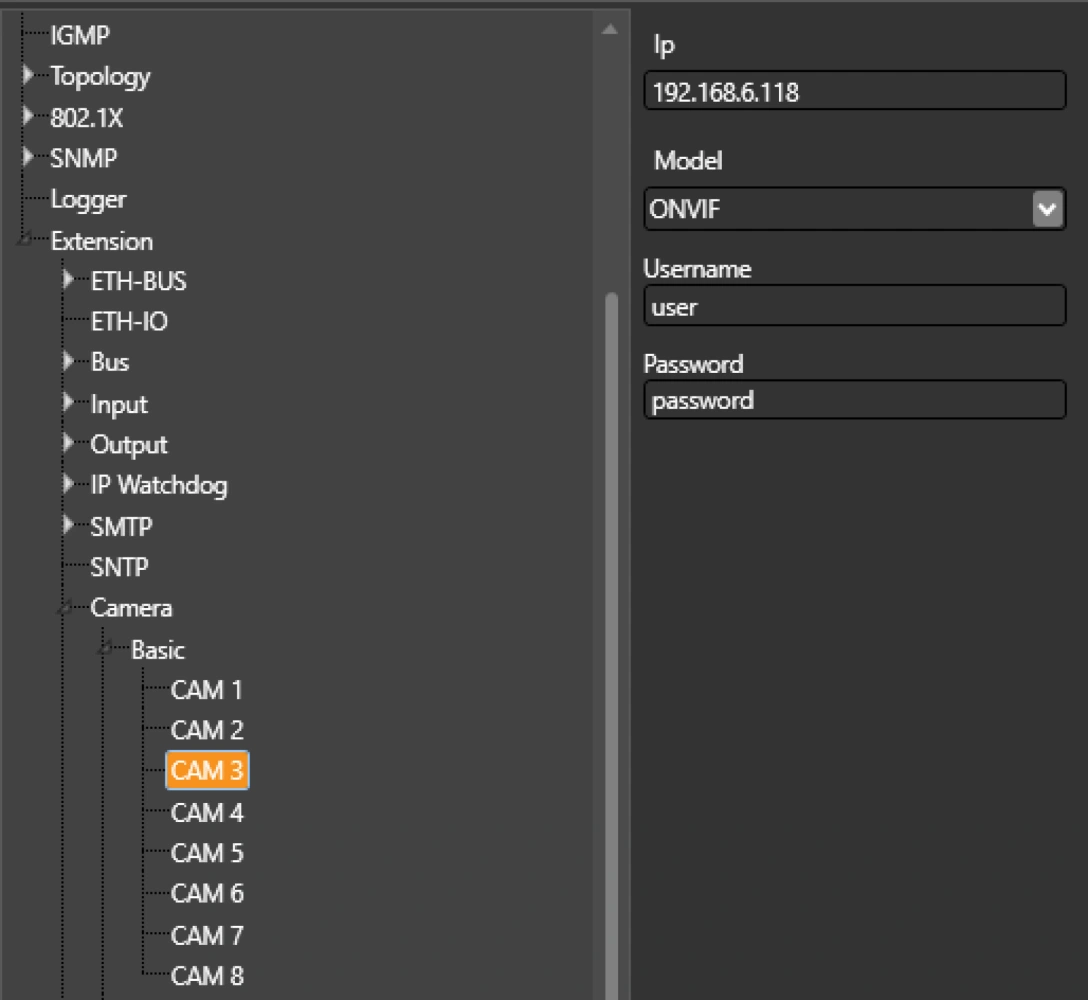
Set the IP address and login credentials of the cameras. The controlled camera does not need to be connected directly to the METEL device where the HTTP commands are stored, but can be controlled remotely via LAN. Remote inputs can therefore be connected to the cameras easily and, most importantly, without additional cabling.
Setup - Step 2
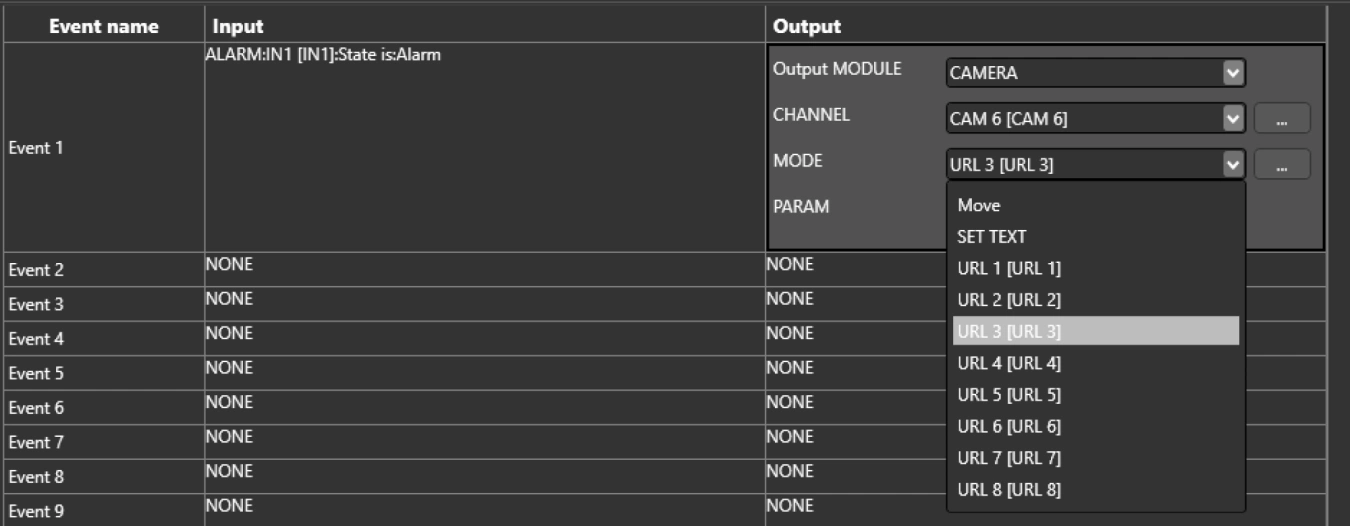
In the second step we set up the actual automatic actions. The first example shows the settings for natively supported AXIS cameras:
"If IN2 (ALARM=alarm loop) is in the ALARM state, turn camera 6 to preset 3".
Note: HTTP commands for setting presets and displaying text on the AXIS camera screen are stored directly in the METEL memory of the device.

To control cameras other than AXIS and ONVIF, copy the commands into the Extensions / CAMERA / User Commands menu and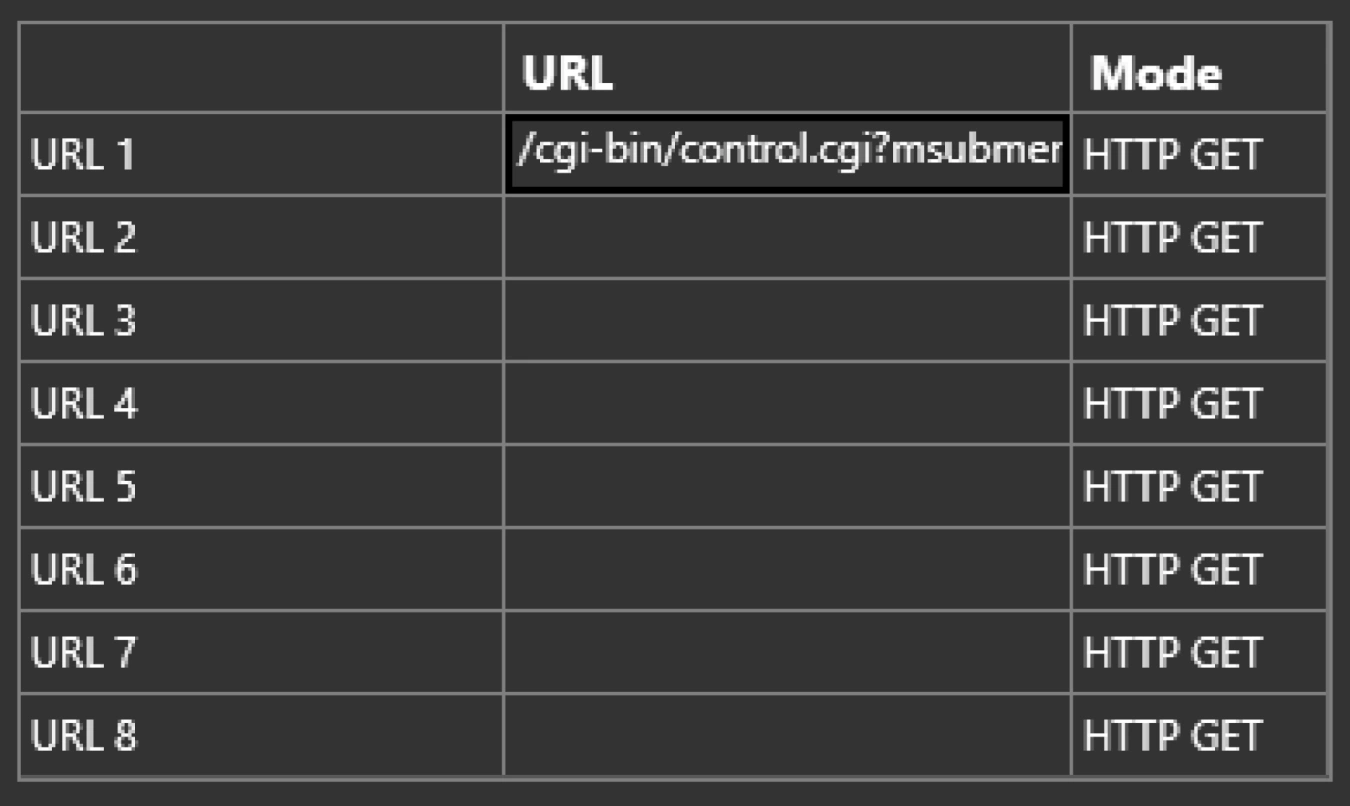
to execute them, simply select the URL mode and command number from the Extensions / Camera / User Commands menu.